Home inspectors
How should a home inspector set up a Google Business Profile?
A home inspector's Google Business Profile should mirror four real operating choices: where customers meet the inspector, which inspection systems the business actually covers, whether Google exposes a booking path, and which work photos can be published safely.
The general Google Business Profile setup steps still apply. The home-inspector service-area guide covers the profile model, address visibility, named service areas, and appointment-only hours; this page carries the remaining setup delta: the inspection-scope Services taxonomy, optional standards, conditional booking/provider setup, and privacy-safe work photos. Use the Services editor workflow for the shared control, and the Google Business Profile hub for the rest of the profile.
Read moreShow less
By Sergey Sulimko, Founder · ·
5checks
11 sources, read Oct 14, 2026See sources
How should a home inspector choose a Google category?
What should a home inspector put in Google Services?
Use the Services editor for the inspection systems and optional work the business actually offers, grouped around its real inspection scope.3
| Core service group | Add it when the business actually inspects it | Scope boundary to keep clear |
|---|---|---|
| Roof | The inspection includes roof systems | Describe the visual, accessible inspection offered, not a guaranteed diagnosis. |
| Exterior | The inspection includes exterior components | Keep the entry tied to the inspection scope and the components the inspector can observe. |
| Basement, foundation, crawl space, and structure | The inspection includes these areas or systems | State any agreed limits or inaccessible areas in the service details or inspection agreement. |
| Heating | The inspection includes heating systems | Do not imply engineering, repair, or a guarantee unless the business separately offers and lawfully describes that service. |
Show all 10 rowsShow first 4 rows
| Core service group | Add it when the business actually inspects it | Scope boundary to keep clear |
|---|---|---|
| Cooling | The inspection includes cooling systems | Keep the entry about the inspection the business performs. |
| Plumbing | The inspection includes plumbing systems | Do not use the entry as a promise of plumbing contracting or repair. |
| Electrical | The inspection includes electrical systems | Keep the service distinct from engineering or trade work that the business does not offer. |
| Fireplace | The inspection includes fireplaces | Describe the inspection scope, not a repair or safety guarantee. |
| Attic, insulation, and ventilation | The inspection includes these systems | Use the actual accessible and observable scope. |
| Doors, windows, and interior | The inspection includes these components | Keep the description aligned with the residential inspection offered. |
Full answer
Google's Services feature is conditional: businesses in certain categories might have the option to showcase offerings. When the editor is available, it can group services and hold descriptions and prices. Open the Business Profile and select Edit services. Keep custom service names free of personal information, prices, phone numbers, profanity, and gibberish.3
InterNACHI's public standard gives a home-inspection-specific set of system sections and describes a home inspection as a non-invasive, visual examination of accessible residential areas.4 ASHI's public standard establishes a minimum baseline for readily accessible, visually observable, installed systems and components in its listed scope, while allowing additional services or components and client-agreed exclusions.54
These groups are a home-inspection service taxonomy, not Google category labels. ASHI also lists auxiliary standards for predrywall, residential pool and spa, residential deck, and radon mitigation. Add one of those as an optional service only when the business actually offers it and can state its scope accurately. InterNACHI says the scope may be modified by the client and inspector before the inspection, so separate normal inspection scope from separately agreed work.54
The current Google services guidance explains how to add, group, edit, and delete services and lets you add details such as price and description. Use those controls for services the business actually offers rather than filling the editor with every home-maintenance term a customer might search for.3
Can a home inspector add a booking link on Google?
Add a booking link only when the Business Profile exposes the relevant option and the destination matches how the inspection business schedules work. Google documents provider and custom-link paths, but not a booking feature for every home inspector or market.67
Full answer
When Bookings appears on the profile, open it, choose the option to begin setup, select an available provider, and select Done. If no provider is available, Google says a business can look for providers available in its country through Reserve with Google or add its own booking link. Google allows up to 10 links per local-link category. Provider links can take up to a week to appear, while Google does not provide performance data for custom links.67
Use the booking destination for the inspection the business actually accepts. Do not send a customer to a calendar for a specialty service that the inspector does not offer, and do not treat the number of links as a ranking target.
What photos should a home inspector add?
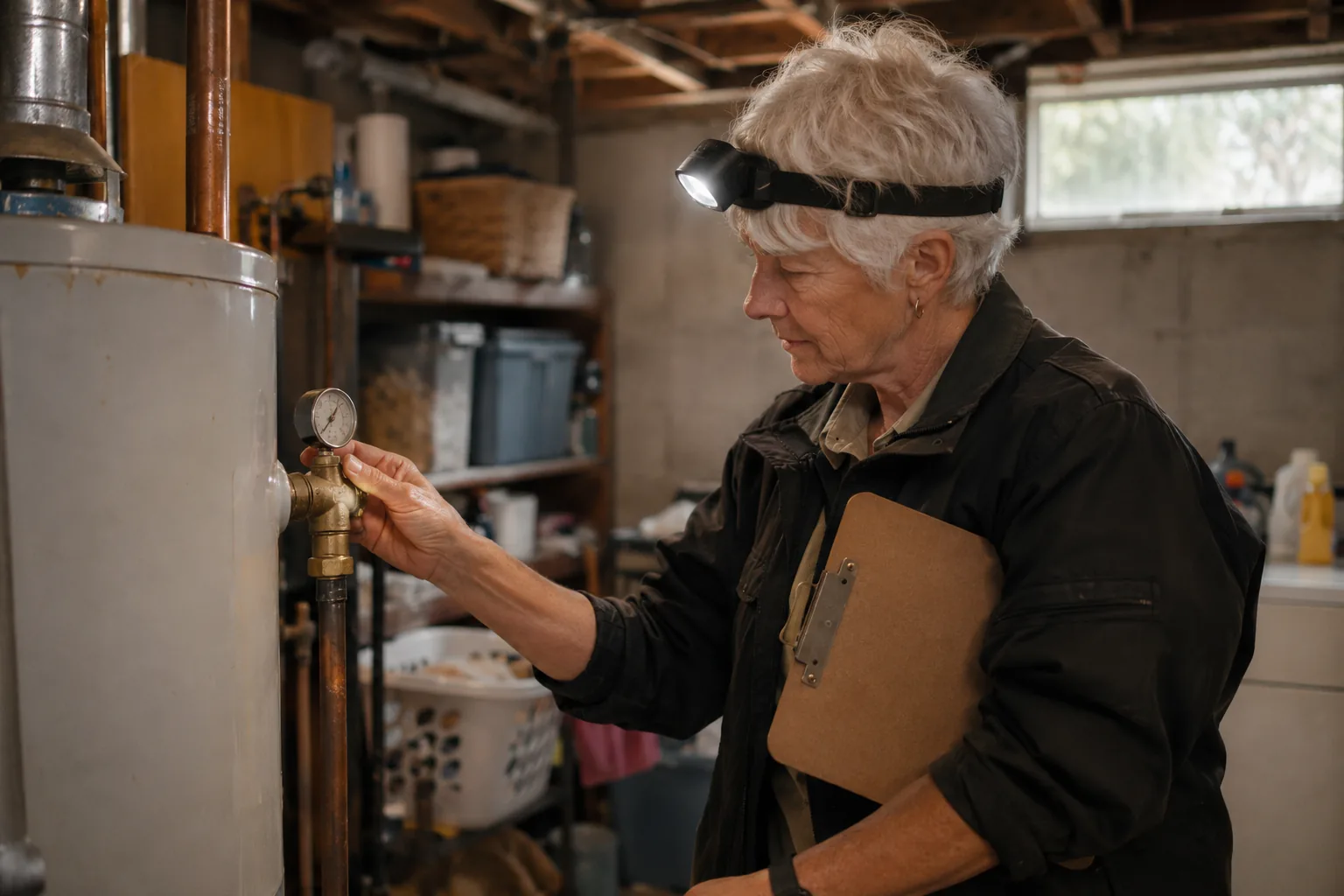
Use real, well-lit photos of the inspector doing the work the business actually offers. Remove or crop customer, occupant, address, and inspection-report information before publishing, and follow any permission requirements and applicable laws.189
| Photo choice | Home-inspection use | Check before publishing |
|---|---|---|
| Work in progress | Show the inspector performing an actual non-invasive, visual inspection within the business's scope | The scene represents work the business really provides. |
| Different inspection systems | Show different types of work from the core service groups the business offers | Do not imply that an inaccessible system was inspected or that the photo proves a complete diagnosis. |
| Specialty service | Show a specialty service such as radon mitigation, predrywall, pool and spa, or deck inspection | Include it only when the business offers that service and can describe its scope. |
| Property or report detail | Crop or omit identifying details when a work scene would reveal an address, occupant, customer, or report | Get the required permission and comply with Google's photo rules and applicable law. |
Full answer
Google's Photos at work guidance recommends at least 3 representative photos, including the team providing different types of services and specialty services. For a home inspector, choose genuine images across the offered inspection scope rather than generic city imagery or a staged image that misrepresents the work.8
Google recommends JPG or PNG files between 10 KB and 5 MB, a recommended size of 720 by 720 pixels, and a minimum size of 250 by 250 pixels. Photos should be focused, well lit, representative of reality, and free of significant alterations or excessive filters or AI.8
Google's representation guidance prohibits private or confidential information, including sensitive records and images or links containing personal information; its photo policy also makes the poster responsible for applicable laws and regulations.19 Treat a home, report, occupant, and address as potentially identifying information before putting it on the profile.
What should a home inspector check after saving the profile?
Do not assume a saved home-inspector profile edit is live immediately. Google reviews verified-profile edits and distinguishes accepted, not approved, and pending states.10
| Check | What to confirm |
|---|---|
| Category | The primary category is the closest specific option returned by Google's current picker, with no invented label. |
| Services | Each group describes an actual inspection or separately offered specialty service, with its scope kept clear. |
| Booking | The link or provider sends customers to the inspection scheduling path the business really uses. |
| Photos | The images show real work and do not expose customer, occupant, property, or report information without the required permission. |
Related guides
Applies to every business
All sources on this page · 11
Sources
-
Google Business Profile Help, “Guidelines for representing your business on Google,” read 2026-10-14. Read Google's representation guidance
-
Google Business Profile Help, “Manage your business category,” read 2026-10-14. Read Google's category guidance
-
Google Business Profile Help, “Manage your services on your Business Profile,” read 2026-10-14. Read Google's Services guidance
-
International Association of Certified Home Inspectors, “Home Inspection Standards of Practice,” last revised October 2022, read 2026-10-14. Read InterNACHI's standards
-
American Society of Home Inspectors, “Standard of Practice,” read 2026-10-14. Read ASHI's Standard of Practice
-
Google Business Profile Help, “Manage your local business links,” read 2026-10-14. Read Google's local-links guidance
-
Google Business Profile Help, “Set up bookings through a provider,” read 2026-10-14. Read Google's booking guidance
-
Google Business Profile Help, “Tips for business-specific photos on your Business Profile,” read 2026-10-14. Read Google's photo guidance
-
Google Business Profile Help, “Business Profile photos, videos & posts content policy,” read 2026-10-14. Read Google's photo policy
-
Google Business Profile Help, “Understand what happens to your Business Profile edits,” read 2026-10-14. Read Google's edit-review guidance
-
Google Business Profile Help, “Manage your service areas for service-area & hybrid businesses,” read 2026-10-14. Read Google's service-area guidance